Dutch Drone Squad
This theme is designed by the Dutch Drone Squad and consists of a top bar, node overlay and leaderboards for class and overall.
Theme highlights
- Full overlay suite: DDS ships with topbar, node, class leaderboard, and overall leaderboard so you can cover every scene of a stream with a single theme.
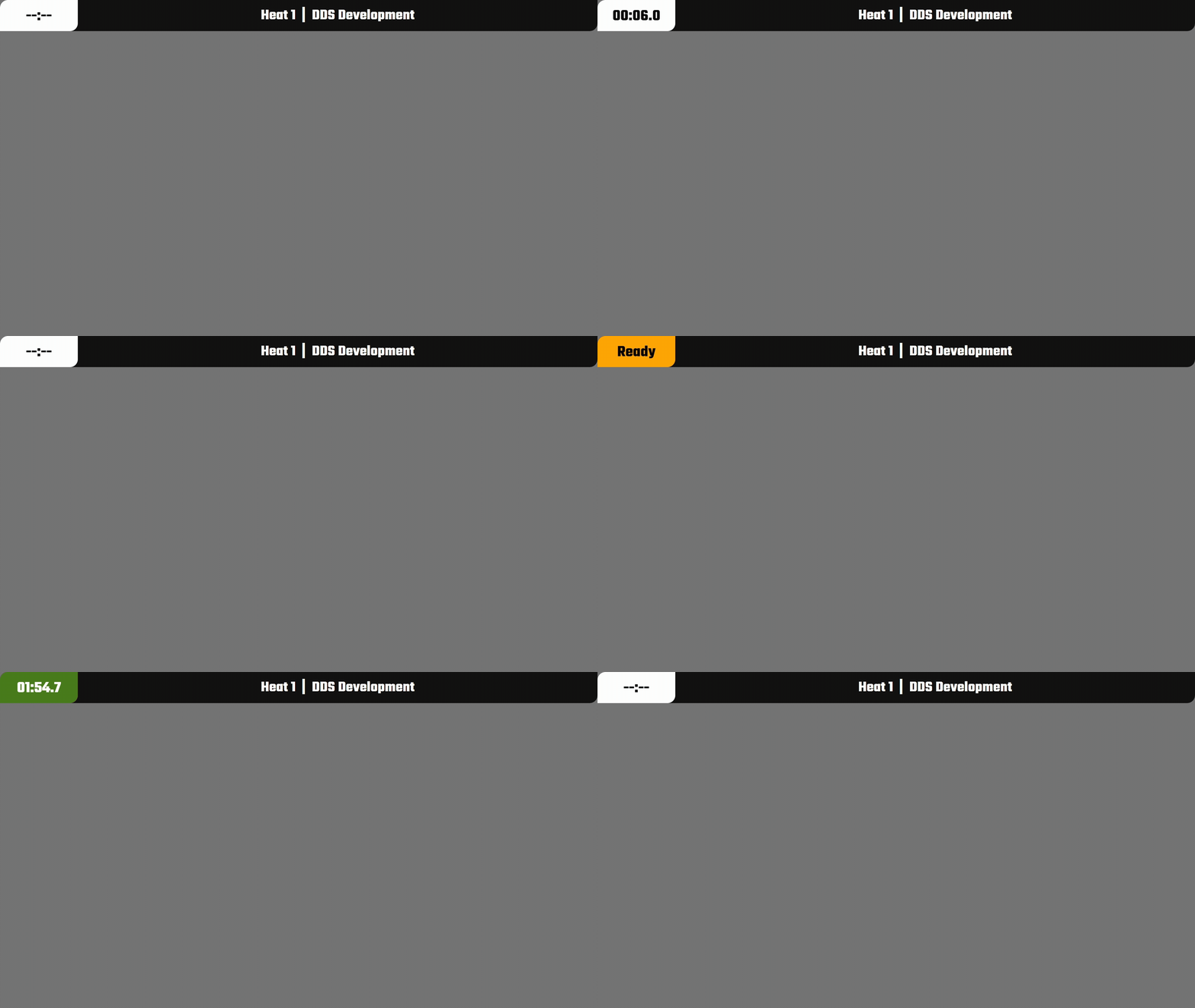
- Heat-aware UI: The topbar automatically swaps the heat and event titles based on RotorHazard data, making schedule changes painless.
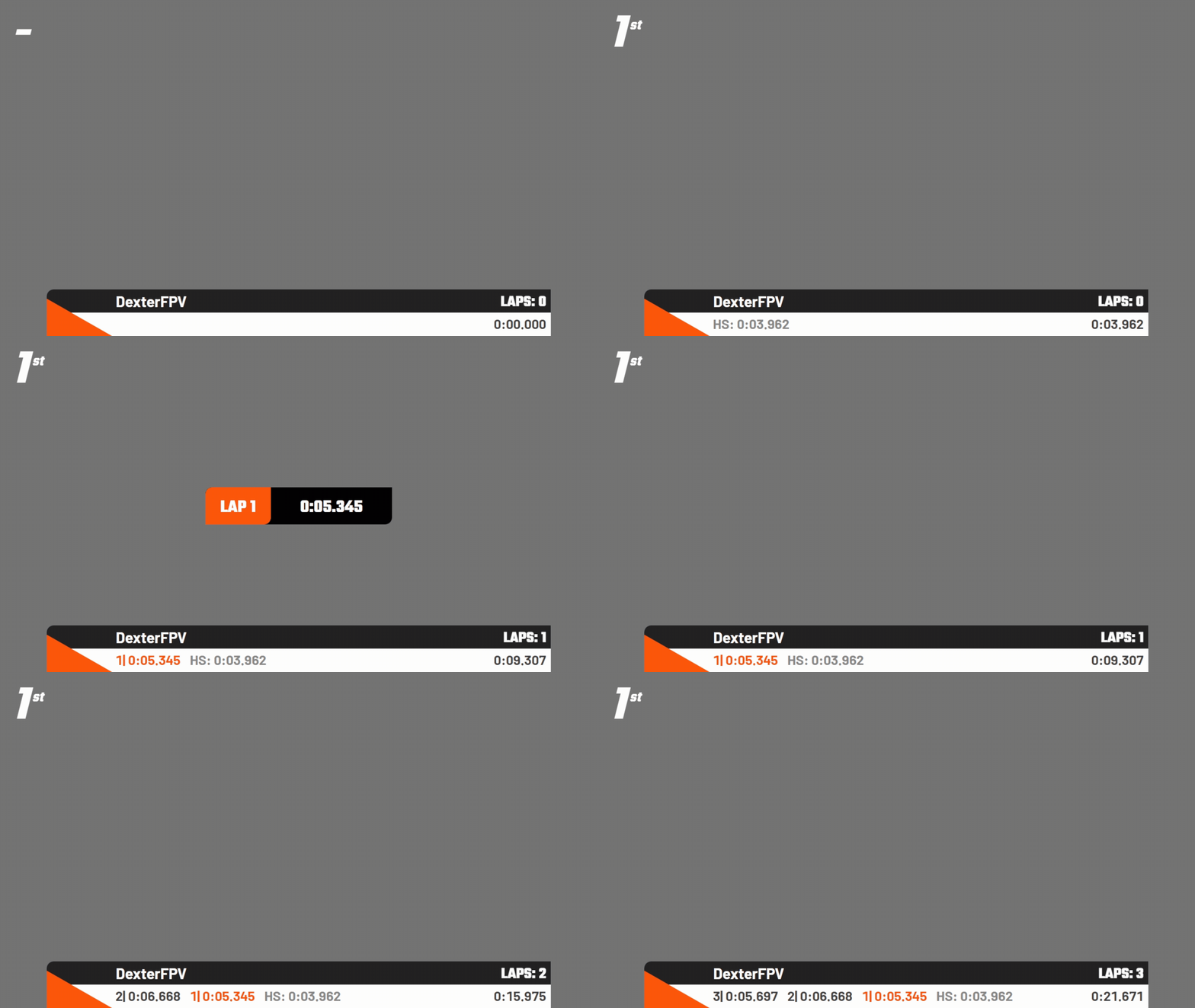
- Color-driven pilots: Node overlays inherit the pilot color from RotorHazard so team branding remains consistent across shots.
- Format-ready leaderboards: Class/overall tables adapt to standard, fastest-lap, or consecutive formats without extra setup, and automatically paginate longer lists.
Topbar
The title in the top bar consists of a heat name and event name which dynamically adapts to what is set in RotorHazard. The ticker has been tuned for 16:9 streams, but it scales nicely down to 720p OBS scenes.
URL to use:
Upcoming heat
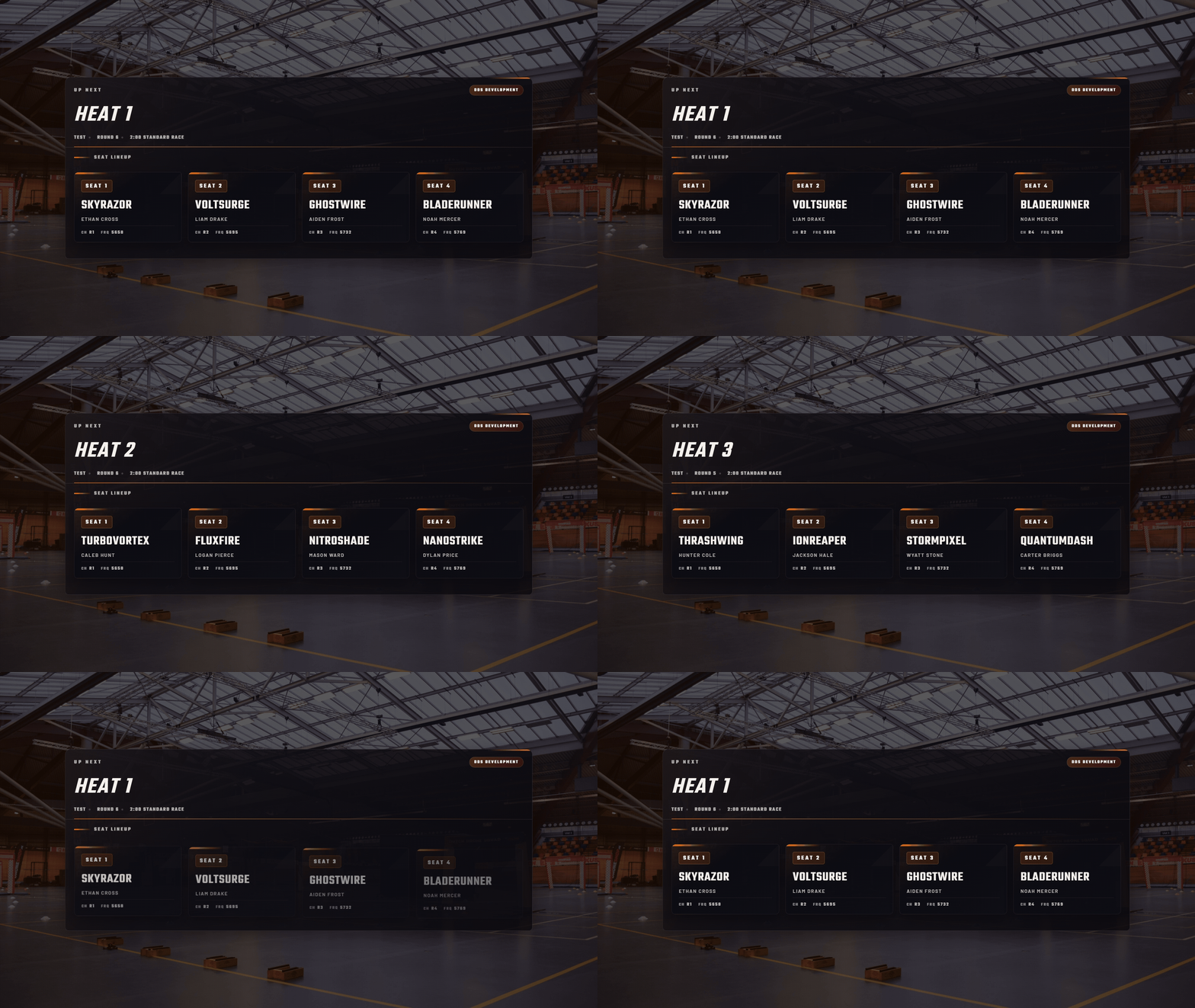
Shows the current active heat with pilot lineup and channel assignments. Perfect for pre-heat announcements or during breaks between races.
- Displays heat name and event information
- Seat cards show pilot callsign and frequency/channel
- Automatically scales to fit 720p/1080p canvases
- Grid layout adapts based on seat count
URL to use:
Background transparency
The background visible in the preview GIF is not part of the overlay. You can configure your own background color or image in OBS to match your stream design.
Node
The node overlay shows the pilot name, lap time, total time and lap number. The color of the node changes based on what is set in RotorHazard for each pilot. Replace [NUMBER] with the node id you want to show. Use it in a solo scene or stack multiple nodes in a grid for “all pilots” views.
URL to use:
Leaderboard
Class ranking
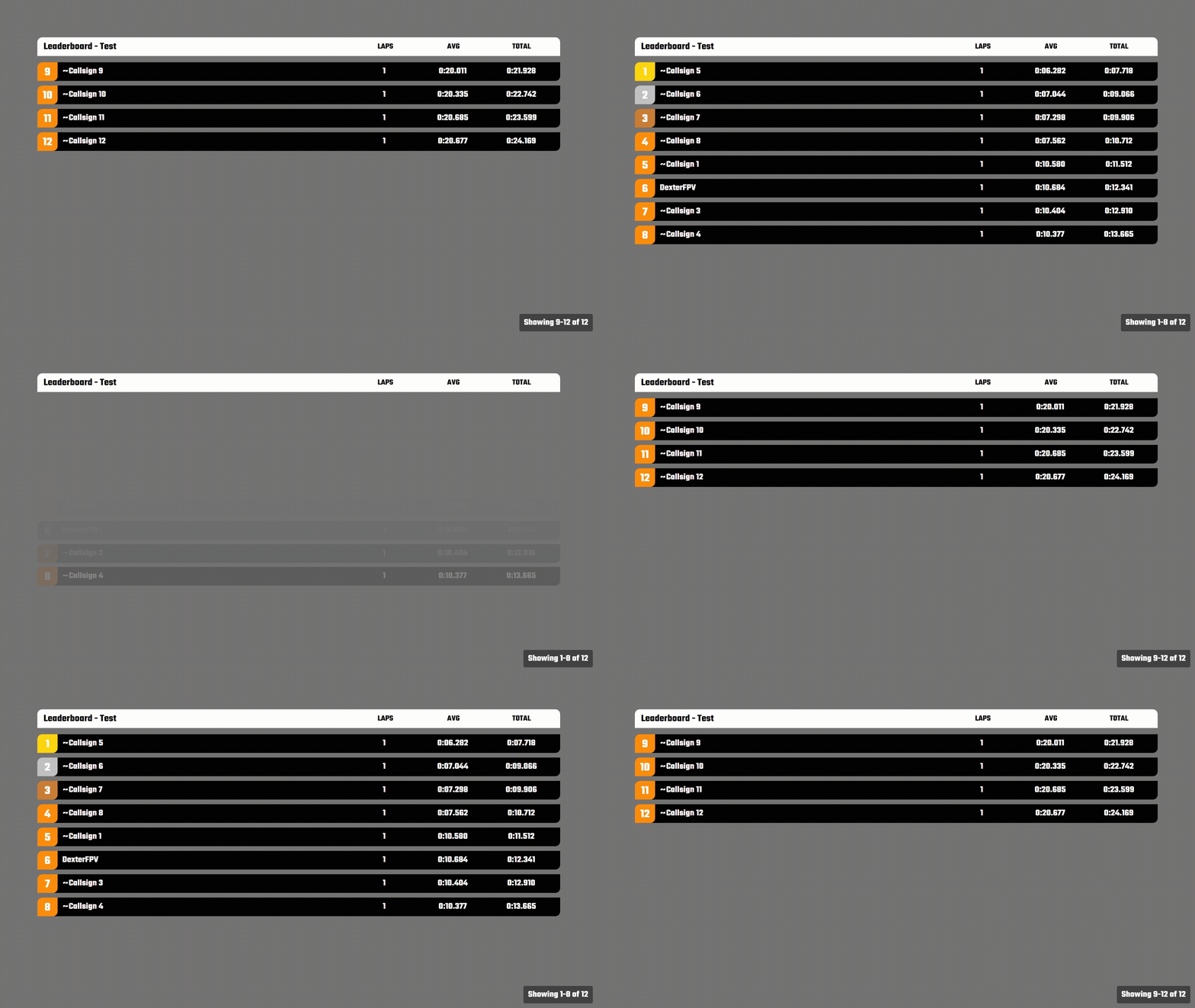
The leaderboard class overlay displays the rankings of pilots within a specific class, including race data such as laps completed, fastest lap, and total time. Pilots are presented in groups of eight, with a new set of pilots shown every 10 seconds to allow full-class coverage without clutter.
The table adapts to the type of the race format: standard, fastest lap or (top 3) consecutive. Replace [CLASS ID] with the class id you want to show or use 0 for the current class.
Warning
Currently you only see data if you use Ranking: From Race Format in RotorHazard.
URL to use:
Overall ranking
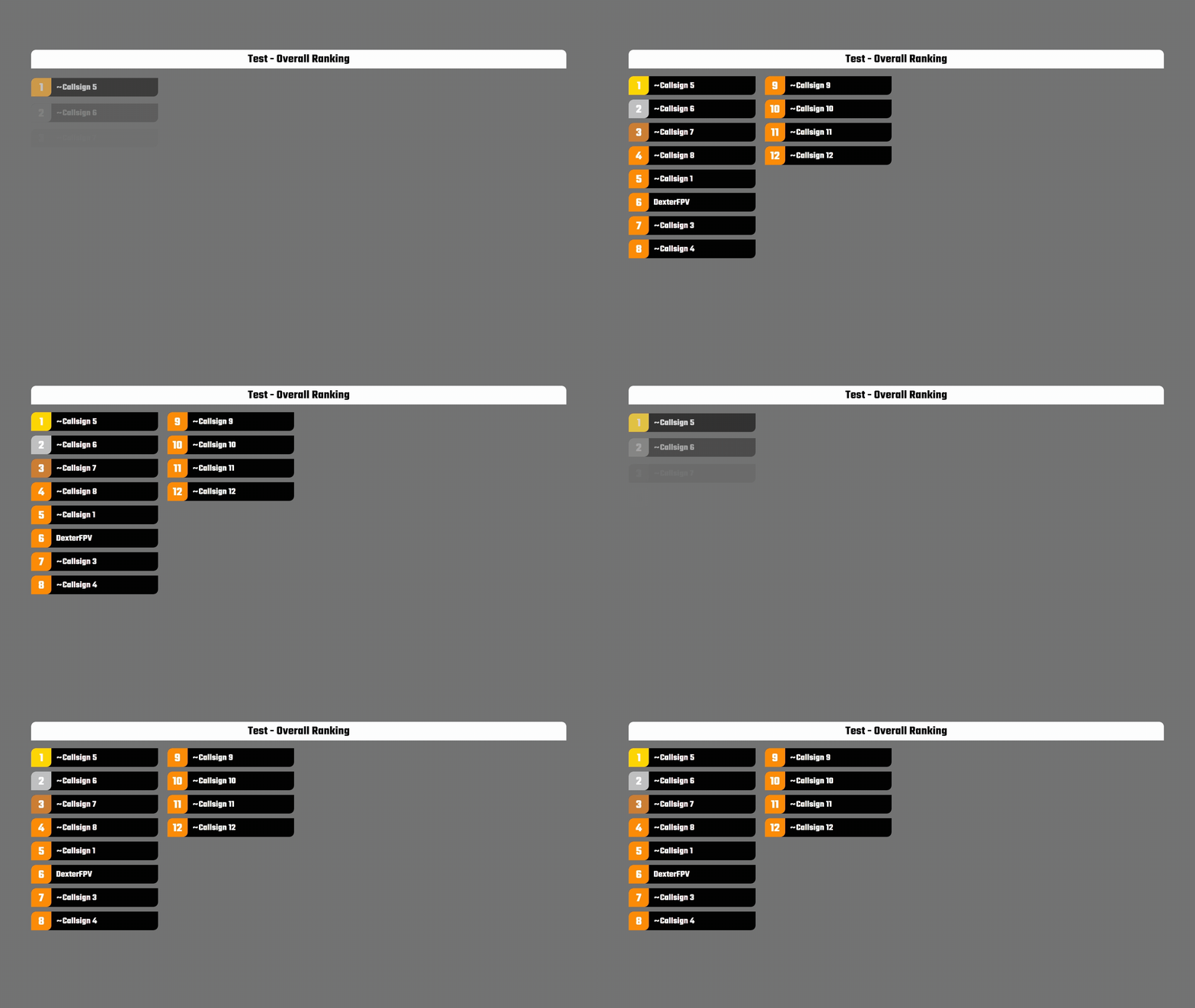
The leaderboard overall overlay displays the overall rankings of up to 32 pilots. Replace [CLASS ID] with the class id you want to show or use 0 for the current class.
Warning
Currently you only see data if you use Ranking: From Race Format in RotorHazard.
URL to use:
TrackDraw integration
DDS can style the TrackDraw map and overview overlays. Pilot badges use the DDS diagonal pill shape with the top-left and bottom-right corners rounded and filled with the pilot's team color.
Live Race Map
Use the TrackDraw map when you want a dedicated track view or a compact map overlay styled with DDS pilot badges.
Query parameters
Use query parameters to adjust map-only behavior for compact OBS sources.
| Parameter | Values | Description |
|---|---|---|
labels |
0 |
Hides pilot callsign badges when the map is used as a small corner source. |
Preview performance
The live overlay runs much smoother in OBS or a browser than this GIF preview. GIF compression and frame-rate limits make the map movement look slower and less fluid.
Overview
Use the TrackDraw overview for commentator scenes with a map, leader callout, and pilot list.
Use this as a full 16:9 browser source when you want the map, race status, current leader, and active pilot list in one scene.
See the TrackDraw integration docs for setup, OBS settings, and production guidance.